Being able to give oral presentations is an important skill for career progression in whatever area you make your career, and often for getting a job in the first place. Audiences vary so the style and content need to address their requirements and the nature of the occasion. Practice can make you more comfortable on your feet so take the opportunity to have a go wherever you can. Seek feedback from your audience and incorporate it at your next opportunity. A video recording can help you evaluate your performance and personal impact.
Preparing for your presentation
What is your purpose?
What do you want to achieve?
What are the essential three points you wish your audience to remember?
Who is your audience?
Are they peers? More expert, less expert than you? Mixed discipline? How many? Densely packed or well spread out?
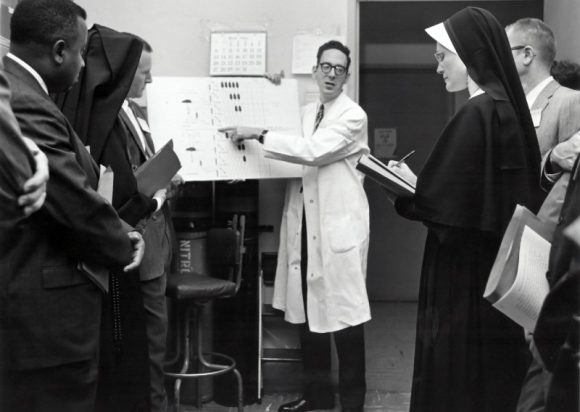
What is your venue?
Where are you delivering your talk and what equipment will there be?
Is the venue large or small – will you need a microphone?
Timing your talk
How long is your slot? Where are you on the programme – if things over-run, will you be asked to cut your talk short? Can your summary stand alone to carry this?
Using visual aids
Will you use PowerPoint or would using a blackboard or whiteboard or flip charts work better?
Will you provide handouts? When? At the start may encourage people to read rather than listen – at the end may mean they have lost track during the presentation or cause problems distributing them whilst another talk is starting or your audience is disappearing.
Whatever you ask people to look at needs to be readable; visual appeal helps – pictures, charts, colours, supporting the message but not distracting. Avoid red and green to highlight differences as a lot of people are red/green colour blind. Graphics need a high enough resolution and must be scaled properly (not squashed).
Make sure that your text is large enough, the content succinct and the ideas laid out logically.
Do not use too much text on slides – they are a reminder of key points, not lecture notes.
Building your Presentation
Your presentation needs a clear structure. You should indicate when you are moving from one part to the next.
- Introduction – of you and your talk. Questions – is this in your control? Tell the audience whether you want questions at the end (safer) or are happy to take them during the talk. Do not assume you will get lots questions and leave your presentation short, two minutes is probably enough. If questions are a serious feature of the programme then they may be allotted specific time, additional to the length of your talk.
- Main body – background; task; method, why you used the method you did including alternatives you considered; anything you assumed/ignored and why; and your results. For a long talk you may need some intermediate summary signposts. e.g ‘having explained the methodology I shall now move onto my findings’.
- Conclusion and summary – the message you want to leave them remembering and any action you want them to take. If it has been a long presentation then a quick recap on how you got to your conclusions will be helpful.
Delivery
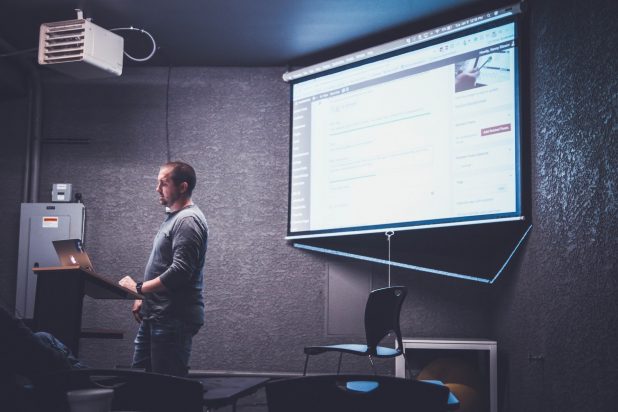
Practice your talk so you know what you are going to say, how you are going to flow from one section to the next and work out your timing. Note: you might be slower, or more usually faster, due to nerves in the actual event. Do not just read your slides – your audience can do that themselves. Do not read a script. Try to speak naturally with enough volume and projection to reach the back. You should know what you are going to say and it should expand on the points on the slide. If you need notes they should be discreet – postcards – one per slide with the key things you need to say. A treasury tag will keep them together and in order if you drop them.
Face your audience and make eye contact with everyone. Do not block the view of the screen/whiteboard/flip chart. If you are not using slides then you need to be slick with prepared flip charts or very quick to write on a board. Remember your back is to your audience whilst you write.
Minimise distractions. Empty your pockets so you aren’t tempted to jingle change. Be careful with pointers make sure that you don’t keep waving them about. Hand waving can be tricky – trying to repress it can make you look stilted and might interfere with concentrating on what you are saying but if it is very pronounced it can be distracting. On balance, worry about it when you have had more practice rather than for your first or second presentation.
If people start side conversations try pausing and looking at them to see if they can recall their manners.
Mathematical presentations
Is the maths complete and sufficiently clear? – you do not need to show all your workings but it needs to be clear how you got from one place to the next. Otherwise you are setting yourself up for interrupting questions and the opportunity to get yourself muddled.
Is the maths definitely correct? – get someone to check you haven’t made any typos or other errors.
Are the charts, equations, graph notations sufficiently clear and legible from the back of the room?
Handling Questions
 This can be more worrying beforehand than the thought of actually delivering the presentation. You may not get many and they may be easy to answer: things you included but people missed or didn’t retain. For more serious questions, it is OK to think for a few seconds to come up with an answer.
If you aren’t clear what the person asking the question is getting at ask them to repeat the question and clarify. You could check by asking them if they are asking what you think they said. For something you are not going to be able to answer on your feet either because you need to think hard about it or it will take too long to get into, tell them you will need to get back to them or will discuss after the presentation. You can also ask them to email their question to you if you don’t feel you have got enough detail or will be able to remember it by the time you get back to your desk.
Image Credits
Featured image by Jason Rosewell on Unsplash
Audience photo by National Cancer Institute on Unsplash
Questions photo by Marcos Luiz Photograph on Unsplash
Delivery photo by NeONBRAND on Unsplash